
There’s no doubt that social media is one of the most effective ways to forge relationships online. However as most of us have probably experienced, it can also take up a whole lot of time.
The goal of automation is not to remove work entirely but rather to help you work more efficiently. Automation can take your daily social media work from a few hours to 30 minutes, perhaps, allowing you the ability to use your time wisely.
Choose your automation tools
Hootsuite – One of the most popular social media management tools; allows you to manage and schedule all your social media posts in one place.
 Even if you use the free version of the platform, you will quickly experience such benefits as being able to manage multiple social media accounts in one place, and to schedule updates in advance. As a basic social media tool for small business owners, you just can’t beat Hootsuite.
And the good news is that if you do decide you need more functionality, like advanced reporting or team collaboration, the pro version of the platform is only about $9 per month.
SproutSocial – allows you to manage your social profiles from a single location. Instead of signing into each profile one-by-one, you can simply log into your account from this app and have all aspects of your social content available.
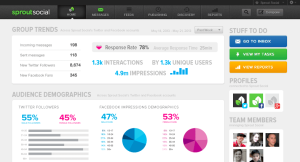 There is no free version (apart from a 30 day free trial), a basic membership is only about $39 per month.
SproutSocial provides analytical data concerning how your followers interact with your content including demographic information. This can help you develop future content for your website and posts to your social media site of choice in order to improve these demographics or further engage those who find your material informative. Reporting information also includes link clicks from your posts, retweets and mentions across Twitter and other data concerning your various profiles.
Social Oomph – Social Oomph allows users to update various social media connections from a single access point. In order to use all of the features available, you must pay the subscription fee or access the seven-day free trial. Once you have, you are able to add your accounts from a short list of authorized media sites.
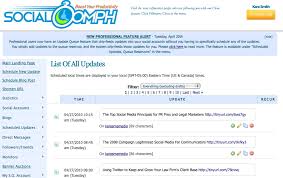 Twitter is the only social media account you can add to SocialOomph as a free user. Any other accounts require a subscription payment. One aspect of SocialOomph that may be attractive to some is the ability to create a blog post directly from the app.
Through SocialOomph, you can add others to follow to your Twitter account and monitor any mentions.
Buffer – it allows you to connect to various social media websites including Twitter, Facebook, LinkedIn, App.net, Google+. By linking these social media sites to your Buffer account, you can quickly update your status to any one of them without actually signing into the correct profile.
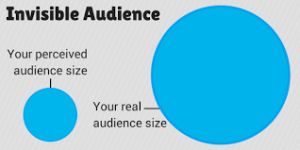 When setting up your account at Buffer, you are able to install a plugin for your browser that will allow you to share websites and content with a single click. The system will automatically detect the brand of browser you are using and direct you to the correct installation of such. This install is relatively quick and is directly connected to your Buffer account. Any social media you add to your profile will be accessible through this plugin immediately.
TweetDeck – TweetDeck provides all of the pertinent information you need regarding your twitter account in one easy to read display. Instead of moving from one area to another of your Twitter account, various columns will display everything from your Home screen to the Activity of those you follow.
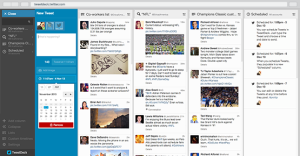 From a single screen, you have access to all of your Twitter account information. You have all of the control you would expect from reading a tweet on the home screen available to you.
It is completely free to use. There are no monthly subscriptions or registration fees you need to worry about. All you need is a Twitter account.
There are apps available specifically for Chrome, Android and iOS devices for TweetDeck, users can directly access this app’s website with full control through a web-browser on mobile units.
Create a system for staying in the conversation
Once you realize that automation and conversation go hand-in-hand, you can truly work to build an efficient, effective process.
Finding and sharing great content online is a useful way to build a brand and an audience on social media. Automation helps this process in two ways: It provides a means of posting these updates at the best times for your audience, whether you’re around or not, and it frees you up to have more time to find amazing content to share.
Here is the 5-3-2 rule of social media sharing, proposed by TA McCann. The rule states that for every 10 updates you post to a social media channel,
- 5 should be content from others, relevant to your audience
- 3 should be content from you, relevant to your audience—and not a sales pitch
- 2 should be personal, non-work related content that helps humanize you and/or your brand
Customize your messages for different networks. As you’re crafting your content queue, remember who’s on the other end of all this work: your audience. What’s best for them?
You may find that on Twitter it is best to be brief, whereas Google+ enjoys a lengthier message. Different styles work better on different networks.
Why not aim for distinct messages for each of the social networks you share? Have a style for Twitter, one for Facebook, one for Google+, etc.
Simply plugging in set messages to be spread across all your social media platforms can sometimes look insincere and robotic. But if a user sees how much thought you place into creating unique messages across different platforms, imagine what an impression it would make.