
Coming soon: a whole new Twitter profile
Twitter is currently rolling out a profile redesign to all users, 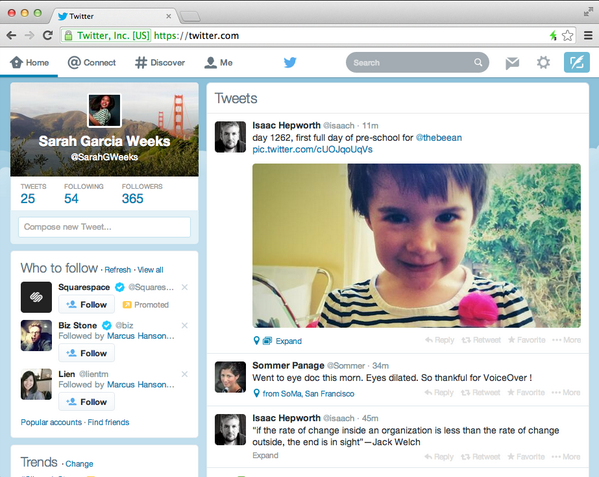 a redesign that will actually make it look like rival Facebook. Top tweets will get a bump. And we’ll all be scrambling to find out what works best on this extreme makeover of our Twitter homes.
While wait your turn to find your way around your new profile, you might be interested to plan ahead. I collected Twitter, studies on marketing best practices, and ideas on how each of these different factors might combine for tips on how to handle your new Twitter profile.
What’s changed on the new Twitter profiles
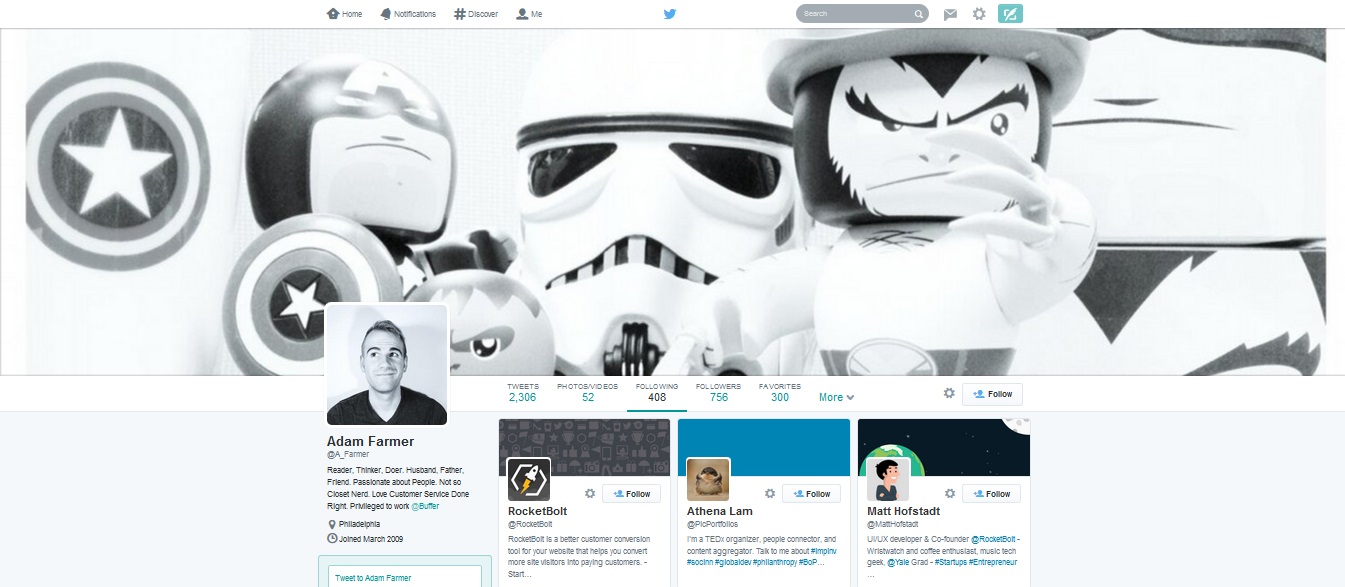
The new web profile lets you use a larger profile photo, customize your header, show off your best Tweets and more. Here are main features:
• Best Tweets: Tweets that have received more engagement will appear slightly larger, so your best content is easy to find.
• Pinned Tweet: Pin one of your Tweets to the top of your page, so it’s easy for your followers to see what you’re all about.
• Filtered Tweets: Now you can choose which timeline to view when checking out other profiles. Select from these options: Tweets, Tweets with photos/videos, or Tweets and replies.
• Larger profile photos: These photos are now 400 pixels by 400 pixels, the same aspect ratio as before but with larger dimensions.
• Customizable header image: This main image spans the browser, and users are encouraged to upload a 1500 pixel by 500 pixel image. Your current header image might fit, but the bigger scale might make it look a little fuzzy. (Images sizes are relative to device, too, so you might notice different layouts on different screens.)
• Pinterest-style grid view of your followers, who you’re following, and your visual content.
 Coming soon to everyone
This new profile setup is available today to a small group of users. If you’re new to Twitter, you’ll start in with the new profile. In the coming weeks, it will roll out the new features to everyone. So if you’re at all interested in doing some early test runs to see how the profiles work, you can set up an alternate account and give the new design a go.
1. Header photos: Learn from the best Facebook pages
The comparisons of Twitter’s redesigned profiles to Facebook pages and profiles are obvious. So why not take a page from the most successful Facebook pages?
(You may not want to copy over your Facebook cover photo directly into your Twitter profile because the dimensions may be off. Facebook is 850 pixels by 315 pixels, and Twitter is 1500 pixels by 500 pixels.)
The new size for the Twitter header image gives you more real estate to show off a branded message. The previous headers were covered with your Twitter bio and avatar, but these new ones have room to spread out.
2. Pin a tweet that drives an emotion
You now have the ability to pin any tweet of your choosing to the top of your Twitter profile. That’s a lot of freedom. Where to begin?
• One of your best tweets
• An upcoming event
• A new announcement
• A tweet that summarizes your brand and mission
• A tweet that drives an emotion
You can go in a lot of different directions with your pinned tweet, so perhaps a good idea to keep in mind is the effect of emotion on your social media marketing. Emotion in general is a good indicator of effective marketing,
3. Share more photos and videos
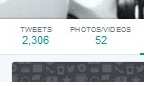 Photos and video are much more prominent with the design refresh. At the top of every profile is a list of links, many of which are familiar from before: Tweets, Followers, Following. One of the new additions is Photos/Videos.weets with photos get 18 percent more clicks and 150 percent more retweets.
People who view your profile now have easier access to the visual content that you post. You’re likely already making a push for visual content, so the redesign should just add more incentive to keep your content fresh because it’s now top of mind for everyone.
4. Be aware of Twitter’s No. 1 rule for @-replies
If you have a tweet that you want the world to see, you should not start the tweet with an @ symbol.
Twitter recognizes this as a reply, part of a larger conversation. As such, these tweets are hidden by default in a number of places around the network, including the redesigned profiles.
The new Twitter timeline filters create distinct views of tweets, tweets plus replies, and tweets with photos and videos.
The default view is simply “Tweets,” minus the @-replies and conversations.
So if you want to ensure that your content is reaching the masses, be careful about when and how you use the @ symbol. And if you do start your tweet an @, be sure to place a period as the first character.
5. Rethink your “favoriting” strategy
 There are many of us on Twitter who use favoriting as a form of social currency—and we’re all quite generous.
I’ve seen examples of people marking tweets as favorites any time a tweet mentions their name or anytime a conversation ends and there’s nothing left to say. Favorites mean different things to different people on Twitter.
How does Twitter feel about favorites?
According to the redesign, favorites might be more important than many of us thought. The new look gives a Favorites tab a prominent place in the main navigation.
With this new focus, you might consider treating favorites in a different way. One idea is to use them as social proof for your brand. Favorite the recommendations, testimonies, and positive blurbs from your customers and fans, and transform your favorites tab into a board of brand high fives.